
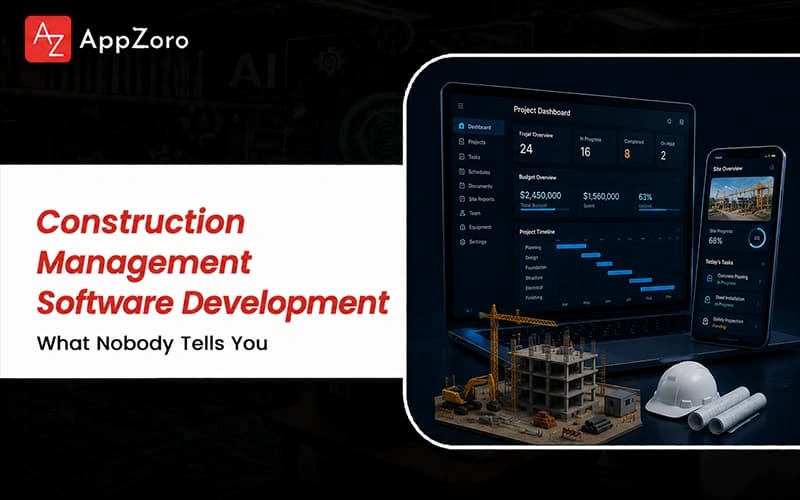
Quick Answer: Construction management software development is the work of building the systems that actually run a project, from scheduling and budgets through to RFIs, daily logs and field reporting. In 2026, that means mobile, offline-capable field apps, integration with accounting, BIM and the wider tool stack and AI that reads photos and documents to catch risk early. Budgets usually run from around $50,000 for a focused field tool to well past $300,000 for a full platform with scheduling, cost control and deep integrations behind it.
For a breakdown of enterprise pricing models, read our analysis on how much custom software development costs.
Running a construction project can be genuinely stressful, dealing with crews spread across a muddy site, drawings that change overnight and a field team filing reports on a phone with no signal. This kind of friction is simply not sustainable for contractors juggling several jobs at once and to fix it, more firms now invest in serious construction management software development built for the site rather than the office.
This is also helping the crews on the ground shed needless busywork and finally trust the numbers everyone above them depends on. The category has matured a great deal lately, as the work moved off the clipboard and onto the phone and as AI started reading site photos instead of merely storing them.
Procore and Autodesk Construction Cloud have set the expectations that every new construction management software development build now gets measured against, whether a contractor likes that benchmark or not.
But why does this kind of work break so many of the teams that take it on too casually? Well, building for construction means serving two very different worlds at once, the office and the jobsite, so let's break down what each of them needs most.
What Construction Management Software Development Actually Involves in 2026
If you have looked into construction management software development and pictured a tidy project dashboard, the real work is honestly far muddier than that. A serious build ties together scheduling, budgets, documents and live field data that all have to agree, even when half the people updating them are standing out in the rain.
For many years, this ran on spreadsheets and a clipboard on site, which works on a small job; the moment you scale to several large projects those methods crack badly, resulting in:
The office side of scheduling, budgets, bids and change orders, where a single missed cost can quietly turn a profitable job into a losing one.
The field side of daily logs, photos, punch lists and inspections, captured on a phone in conditions no ordinary office app was ever designed for.
The document spine of drawings, RFIs and submittals, where the wrong version reaches the crew, leads to mistakes that cost real money to rebuild.
The Office and the Jobsite Are Two Different Worlds
The hardest truth here is that the office and the jobsite want almost opposite things from the same software. The office wants details and reporting, while the crew wants two taps and a camera before getting back to building. A tool that pleases one side and punishes the other gets abandoned by the side nobody asked and that is almost always the field. If you need to share different levels of project data with clients and subcontractors, understanding how to build a B2B and B2C portal provides a framework for secure stakeholder access
Where Construction Field Management Software Development Gets Hard
Construction field management software development is where good intentions run straight into bad cell signal, mud, gloves and a crew with no patience for menus. The software has to work offline, sync the moment a signal returns and let someone log a problem in seconds with a quick photo. Get that wrong and the field simply stops using it, leaving the office staring at a dashboard that no longer matches the site.
How Construction Development Project Management Software Comes Together
So how does a tool like this come together on a real project without falling apart halfway through? Well, if you want construction development project management software the crew genuinely uses, the order of the work matters more than the length of the feature list.
The teams that ship cleanly map the real site workflow first, then build carefully around it, rather than forcing a busy crew to bend around a tidy diagram.
A realistic project moves through a few clear stages and the part founders underestimate sits out in the field, resulting in a sequence like this:
Mapping how this contractor really plans, builds and closes out a job, since a commercial high-rise and a custom home barely share a single process.
Building the field and office sides to share one honest source of truth, so a daily log filed on site updates the very schedule the office is watching.
Wiring integrations into accounting, BIM and the other tools a team already runs, because no contractor throws out a working stack for a newcomer.
Why the Field Workflow Comes First
The fastest way to waste a construction management software development budget is to design polished screens before anyone has walked a real site and watched how the crew moves. The strongest teams follow a superintendent for a full day, see where the clipboard still quietly wins and design the software to beat it at those exact moments. That groundwork feels slow at the time, yet it is what separates a tool the field adopts from one that dies in its second week.
The Integrations That Make or Break It
Construction teams already run accounting, BIM and a few point tools, so any new platform lives or dies on how cleanly it connects to them. A build that ignores QuickBooks, Sage or Autodesk forces double entry and double entry is exactly where the numbers slowly start to drift apart. Senior teams treat these integrations as core scope from the first day, rather than a nice-to-have bolted on, hopefully after launch.
Custom Build vs Off-the-Shelf Construction Software
At some point, nearly every team runs into the build or buy question, weighing a fresh custom build against platforms like Procore or Autodesk Construction Cloud. A ready-made construction development management software suite covers an enormous amount of ground fast, it bends only so far before your own process starts fighting its defaults. If you decide to go custom, partnering with an experienced custom software development company ensures your workflows translate cleanly into code.
Here is roughly how experienced teams weigh the two paths when planning a new system in 2026:
Factor | Custom Build | Off-the-Shelf Platform |
Time to first launch | Slower, shaped to your sites | Faster, broader features ready |
Process fit | Matches how your crews work | You adapt to the vendor's model |
Integrations | Built for your exact stack | Limited to supported connectors |
Upfront cost | Higher, paid as development | Lower, paid per seat |
Ongoing control | You own the roadmap | The vendor sets the roadmap |
Best fit | Unusual workflows and scale | Standard projects and teams |
For a fairly standard contractor, an off-the-shelf platform usually wins on speed and proven field use and choosing one is honestly no failure of ambition. A custom construction development management software project earns its place when your workflow, your scale or your integrations are the things competitors cannot easily copy. Reviewing the overarching benefits of custom software development can help clarify the long-term strategic value of owning your codebase.
AI Construction Field Management Software Development: Where It Pays Off
And that is not all, because AI has moved from a buzzword into a real working tool this year and serious AI construction field management software development now points cameras and models at the jobsite itself.
The goal is no longer a chatbot in the corner; it is software that reads site photos, drone scans and documents to catch problems while they are still cheap to fix.
The strongest teams point this intelligence at the jobs where the payoff is large and genuinely measurable, resulting in:
Computer vision that reads 360 photos and drone scans, tracks real progress against the plan and flags safety risks no tired inspector would catch.
Document AI that reviews RFIs, submittals and change orders, surfacing the buried risk and the missing answer before it can delay the schedule.
Predictive scheduling that watches for slippage early, so a looming delay gets flagged in week three rather than discovered in the month it hurts.
Computer Vision on the Jobsite
The clearest win right now is visual intelligence, where tools like OpenSpace turn ordinary site photos and drone scans into a searchable record mapped to the plans. Compared against the BIM model, that capture flags out-of-tolerance work early, back when fixing it costs a short conversation rather than a full demolition. Used well, it replaces the argument over what happened on site with a timestamped image anyone can pull up.
AI That Reads the Paperwork
Remember that roughly eighteen percent of project time is lost just hunting for data, which is exactly the waste document AI was built to attack. Models now scan contracts, RFIs and change orders to surface the risk and the question a human skims past at the end of a long day. That kind of AI construction field management software development pays back fastest, because the paperwork is where most delays and disputes are first born.
If making your jobsite tools faster, simpler and genuinely trusted by every crew is something you have been looking at, then it is worth getting a second opinion on construction management software development before you commit. Our senior team reviews proposals like this most weeks and would far rather flag the costly gaps now than after the crew abandons the tool out on site.
Final Thoughts
Construction management software development in 2026 is no longer a premium add-on reserved for the largest contractors with the deepest pockets. It has become an operational baseline for any firm where finishing on time and on budget matters and the tools that last are simply the ones that work offline in the mud and earn the crew's trust.
The teams that win at construction management software development are rarely the ones with the slickest charts to show off at a trade booth. They design for the jobsite first, wire integrations in early and point AI at the photos, drone scans and paperwork where the real waste has always been hidden.
If a proposal on your desk feels impossible to judge fairly, it is worth asking someone who has shipped these tools onto real sites where the scope looks suspiciously thin. The right partner walks you through the field workflow, the integrations and the offline plan without flinching, because they have seen exactly where these builds tend to break.
Leave a Comment